Liens Instagram : guide complet pour ajouter, organiser et convertir depuis ta bio
Pourquoi Instagram limite les liens ? Parce que la plateforme veut garder les gens dans l’app. Depuis 2023 tu as jusqu’à 5 liens natifs, mais le 1er seul est bien visible, les légendes restent non cliquables, et tu n’as pas d’analytics détaillées. Frustration réelle dès que tu pousses boutique + booking + newsletter. La bonne nouvelle : un hub link-in-bio contourne intelligemment ces limites sans spammer ton audience.
Concrètement, tu as trois leviers pour faire circuler du trafic : le lien en bio Instagram (le plus puissant au quotidien), les liens dans les stories (souvent via sticker « Lien » selon éligibilité), et les liens en description sur certains formats quand Instagram les rend cliquables pour ton type de compte — pense à vérifier ce qui est disponible sur ton profil en 2026. Ces trois endroits ne jouent pas le même rôle : la bio est ton hub stable, les stories servent l’urgence et le lancement, la description renforce un contenu précis.
Si tu es créateur, influenceur ou petite entreprise, ton objectif n’est pas d’« avoir un lien », c’est d’orienter chaque visite vers une action mesurable : inscription, achat, message qualifié. C’est pour ça que les stratégies qui gagnent combinent presque toujours un lien en bio Instagram permanent et des renvois temporaires en stories quand tu lances une offre. Tu gères ainsi vos priorités sans confondre « ce qui est urgent cette semaine » et « ce qui doit rester visible toute l’année ».
On sait que c’est frustrant de n’avoir qu’un lien visible en permanence alors que tu as cinq offres à montrer. Découvrez la meilleure solution pour gérer vos liens Instagram
Les 3 façons d’ajouter des liens Instagram
3.1 Lien dans la bio Instagram (le plus important)
Le lien en bio Instagram reste ton actif n°1 : c’est l’endroit que les gens consultent quand ils veulent « aller plus loin » après un Reel. Tu colles une URL unique — souvent vers une page link-in-bio — et c’est là que tu peux vraiment ajouter des liens Instagram utiles (offre, catalogue, formulaire) sans encombrer la bio elle-même. Exemple : une coach met « korli.fr/sonpseudo » et sa page affiche en premier « Réserver un appel découverte », puis son guide PDF, puis son podcast.
3.2 Liens dans les stories Instagram
Les stories permettent d’orienter le trafic vers une promo, un article ou une inscription — avec un sticker Lien quand ton compte y a droit. C’est idéal pour une offre limitée dans le temps : tu crées l’urgence, tu expliques en 15 secondes pourquoi cliquer, et tu renvoies vers la même page que ta bio ou vers une landing dédiée. Exemple : une marque lance une collab et place le lien de la collection uniquement en story le jour J, tout en gardant le lien « catalogue complet » dans la bio.
3.3 Liens cliquables en description (évolutions 2026)
Sur certains comptes et formats (notamment Reels et publications), Instagram ouvre progressivement des liens cliquables dans la légende ou la description : pratique pour relier un tutoriel à une ressource ou une annonce à une page produit. Ce canal ne remplace pas le lien en bio Instagram — il contextualise un post précis. Exemple : un influenceur poste un Reels « 3 erreurs en SEO » et met en description le lien vers son audit gratuit ; le reste de son parcours reste centralisé sur sa page link-in-bio.
- Bio: ton hub permanent pour gérer liens instagram toute l’année.
- Stories: ton levier d’urgence pour pousser une offre ou un lancement.
- Description: ton levier contextuel pour ajouter des liens instagram sur un contenu précis.
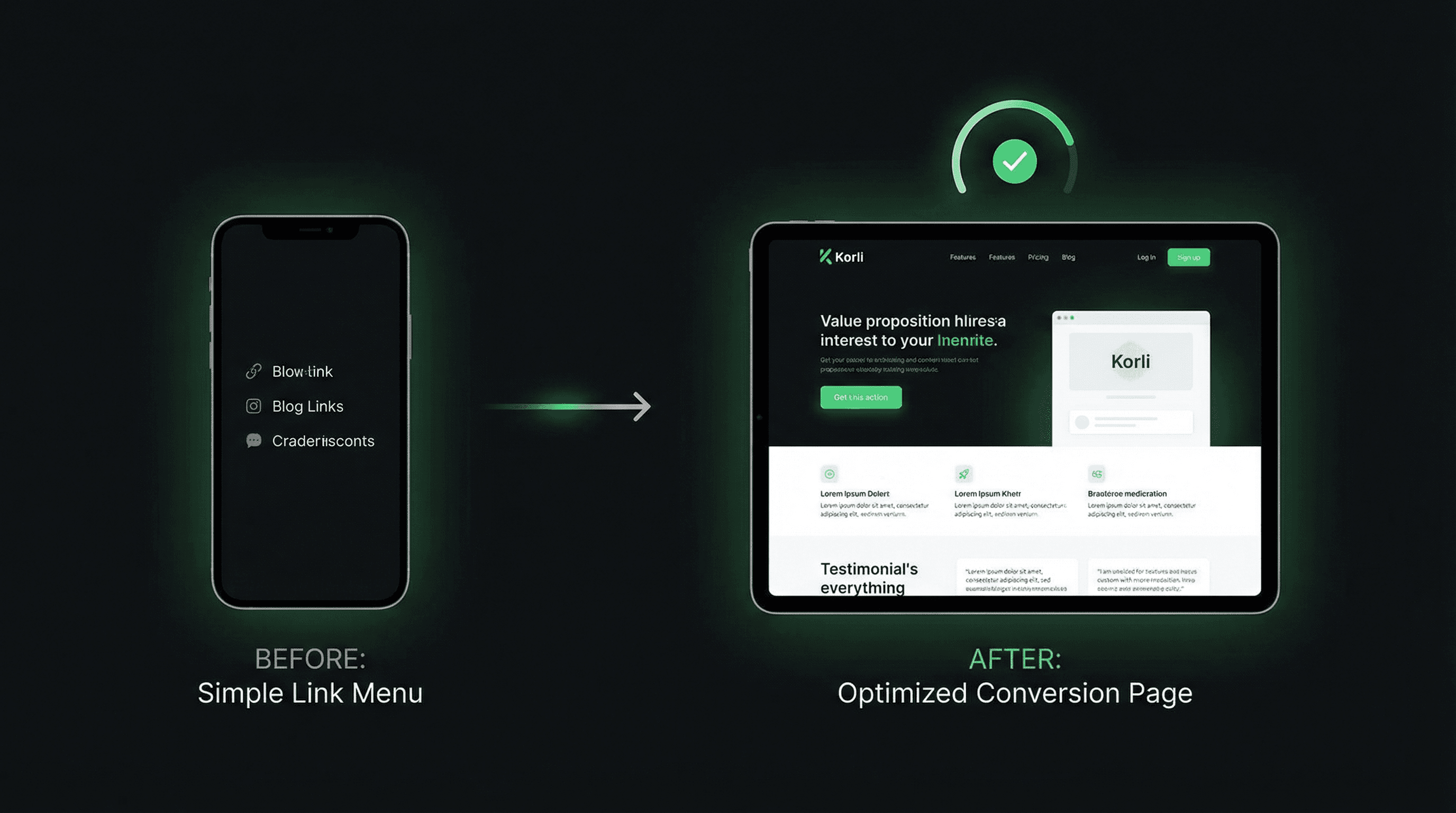
Pourquoi un outil link-in-bio pour tes liens Instagram ?
Instagram limite à un lien dans la bio : c’est le cœur du problème quand tu veux présenter plusieurs chemins (vente, lead, communauté, presse). Un outil link-in-bio te permet d’ajouter 5, 10, 50 liens derrière une seule URL publique : tes visiteurs voient une liste ordonnée, toi tu gardes le contrôle sur l’ordre et le message.
Au-delà du simple empilement de boutons, les bons outils t’aident à convertir : analytics pour savoir ce qui est cliqué, design personnalisable pour rester crédible avec ta marque, et parfois des règles ou variantes selon la source du trafic. C’est exactement ce qui manque quand tu ne fais qu’alterner manuellement un lien unique dans la bio toutes les deux semaines.
Imagine un visiteur qui arrive depuis un Reel froid : il a besoin de contexte et d’une première étape facile. Un autre revient sur ton profil après trois semaines : il est prêt pour ton offre principale. Un bon outil t’aide à refléter ces intentions plutôt que d’afficher la même liste statique pour tout le monde. C’est là que la différence se joue entre « j’ai mis des liens Instagram » et « je fais travailler mon trafic ».
- Mesurer les clics par bloc plutôt que de deviner.
- Rendre ta page lisible sur mobile (là où tout se joue).
- Tester titres et ordre sans casser ton URL publique.
Sur le marché, tu croiseras des noms connus comme Linktree (référence historique), Swello (approche française), ou Elfsight (souvent via widgets intégrés à un site). Korli se positionne comme une alternative moderne pour les créateurs et PME francophones qui veulent performance et clarté sans se noyer dans les options inutiles.
En pratique, un bon outil te fait gagner du temps chaque semaine: tu évites de changer ton lien en bio Instagram manuellement, tu peux ajouter des liens instagram en quelques secondes, et tu comprends enfin quels liens instagram génèrent de vraies conversions. C’est ce passage de l’intuition à la mesure qui aide à passer de la position #70 vers le top 10 sur la requête liens instagram.
Comparatif : Linktree, Swello, Korli, Elfsight
Pour choisir un outil, pose-toi une question simple : est-ce que j’optimise seulement l’apparence, ou aussi ce qui se passe après le clic ? Le tableau ci-dessous résume une lecture honnête des familles d’offres — les prix évoluent selon les plans, vérifie toujours les pages officielles avant de t’engager.
| Outil | Prix (ordre de grandeur) | Liens illimités | Analytics | Design | Support |
|---|---|---|---|---|---|
| Linktree | Gratuit + plans payants (souvent dès ~9 $/mois) | Souvent oui sur les plans payants | Oui, du basique au avancé selon plan | Thèmes nombreux, parfois très reconnaissables | Communauté + help center (selon plan) |
| Swello | Gratuit + abonnements | Selon offre / formule | Présent sur les offres supérieures | Personnalisation orientée créateurs FR | Support côté produit français |
| Korli | Gratuit + Pro (facturation flexible) | Oui | Oui (clics, blocs, sources) | Personnalisable (marque, blocs) | Équipe francophone |
| Elfsight | Payant (widget / intégration site) | Selon widget et site hôte | Variable selon intégration | Thèmes widget | Support standard éditeur |
Pour résumer : Linktree reste la référence mondiale, Swello parle fort à un public français, Elfsight est plutôt adapté si tu veux embarquer un widget sur ton propre site. Pour les liens Instagram au sens « page unique derrière la bio », Korli offre le meilleur rapport qualité/prix pour les créateurs français qui veulent analytics utiles, design propre et accompagnement local — sans sacrifier la simplicité.
Avant de choisir, pose-toi trois questions : ton budget mensuel réel, ton besoin de stats exploitables sans tableur, et l’importance du support en français si ton activité dépend d’une campagne en cours. Un tableau marketing ne remplace pas un test : crée une page, mets-la en bio une semaine, regarde quels blocs reçoivent des clics, puis ajuste l’ordre.
- Prix: regarde le coût réel sur 12 mois, pas seulement l’offre d’entrée.
- Liens illimités: vérifie ce qui est vraiment inclus sur le plan gratuit.
- Analytics: privilégie des données exploitables pour optimiser tes liens instagram.
- Design: choisis un rendu mobile propre pour renforcer la confiance.
- Support: un support francophone rapide peut sauver une campagne en cours.
Si ton objectif est de mieux gérer liens instagram au quotidien, le vrai test est simple: est-ce que tu peux modifier ta page en 2 minutes, et est-ce que tu vois immédiatement l’impact sur les clics? Si la réponse est non, l’outil te freine. Si la réponse est oui, tu peux itérer vite et améliorer tes liens instagram semaine après semaine.

Erreurs fréquentes quand tu gères tes liens Instagram
Même avec la bonne page, quelques erreurs reviennent souvent. Les éviter te fait gagner des conversions sans augmenter ton audience.
- Trop de liens visibles d’un coup : la paralysie du choix tue le mobile. Garde un CTA principal évident.
- Design non mobile-friendly : boutons trop petits, couleurs illisibles — teste sur ton téléphone réel.
- Pas d’analytics : tu ne sais pas quel message marche ; tu optimises au hasard.
- Oublier de mettre à jour les liens : ancienne promo en tête de page, tu perds confiance et clics.
Une règle simple : si tu ajoutes des liens Instagram sur ta page, chaque bloc doit avoir un rôle (urgence, preuve, vente, contact). Le reste peut aller plus bas ou dans une section « Ressources ». Pense aussi au rythme : une boutique qui change ses collections peut mettre à jour chaque lundi, un freelance peut ajuster après chaque campagne Reels. L’important est que la page reflète ta priorité du moment, pas celle d’il y a trois mois.
Autre conseil pratique: planifie une revue hebdomadaire de tes liens instagram. En 15 minutes, tu peux vérifier les clics, supprimer les liens obsolètes, remonter le CTA prioritaire et ajouter des liens instagram liés à ton contenu de la semaine. Cette discipline simple améliore souvent la conversion plus qu’un redesign complet.
Crée ton lien Instagram gratuit en 30 secondes
Tu veux dépasser la limite d’un seul lien, mesurer ce qui fonctionne et présenter tes offres comme une vraie marque — pas comme une liste au hasard ? Crée ton lien Instagram gratuit en 30 secondes avec Korli : une URL pour ta bio, plusieurs destinations derrière, et une base analytics pour décider quoi mettre en avant cette semaine. Les liens Instagram ne sont pas une contrainte technique : c’est ton point de passage entre l’attention et la vente.
Sans carte bancaire, sans engagement : tu testes, tu ajustes tes blocs, et tu passes au Pro quand tu veux scaler. Prêt à convertir davantage depuis ton profil ?
Ton audience ne manque pas d’intérêt, elle manque de clarté au bon moment. Avec Korli, tu peux gérer liens instagram sans friction, garder une URL propre dans ta bio et améliorer tes résultats en continu. Commence avec une structure simple, mesure, puis optimise. C’est exactement comme ça qu’on transforme des vues en actions concrètes.