Link in bio for creators and freelancers: the guide that actually converts
You have a single link in your bio on Instagram, TikTok or YouTube. That link leads to a page. And on that page, most creators and freelancers make the same mistake: showing everything to everyone, in the same order, with no idea where visitors come from or what they click. Result: nice-looking but static pages, few conversions, and the feeling that “link in bio doesn’t really work”.
In reality, a good link in bio is a mini funnel. It should explain who you are, guide visitors to the right action based on the source (link in bio Instagram, link in bio YouTube, link in bio TikTok, newsletter…), and give you clear signals on what works. This benchmark gives you a detailed analysis of 5 real profiles, golden rules for conversion, a comparison of Linktree alternatives, and actionable best practices — all focused on CTR and conversion.
An effective link in bio isn’t the one with the most links; it’s the one that shows the right link to the right visitor and lets you measure what converts.
What is a link in bio in 2026?
A link in bio is the single URL you can put in the bio of your Instagram, TikTok, YouTube, LinkedIn accounts or even in your newsletter. That one page centralises everything: your latest video, your shop, your contact form, your newsletter. For creators and freelancers, it often becomes the first touchpoint with your audience — so making it clear and conversion-focused, not just pretty, matters.
In 2026, a link in bio is no longer just a list of links. The best pages work like mini landing pages: a hook, one main CTA highlighted, optional social proof, then a few secondary links. A link in bio Instagram can have a different goal from a link in bio YouTube or TikTok — and some tools (like Korli) let you adapt content by visitor source without multiplying bio URLs.
Why your current link in bio converts (or doesn’t)
Most link pages suffer from the same issues: too many buttons at the same level, no clear hierarchy, no main CTA, and zero adaptation based on whether the visitor comes from your latest Reel, a YouTube video or a TikTok post. So you’re flying blind — and you change links or tools without really knowing why.
A free or paid link in bio doesn’t make a difference if the structure doesn’t follow a conversion logic. What matters: one obvious first action, social proof or a reassuring hook, and when possible adaptation by source. In the sections below we analyse five real profiles to draw precise, actionable lessons.
Detailed analysis: 5 link in bio profiles that stand out
We reviewed five very different profiles — Brokeandabroad, BastiUI, Akim Omiri, Nionip, Sirklo — to identify link hierarchy, main CTA, secondary links, source adaptation, social proof, observed mistakes and what you can replicate on your own link page. Each analysis includes a short recap table and an action-flow illustration so you can apply the best practices to your own link in bio Instagram, YouTube or TikTok.
Brokeandabroad: clarity and priority to action (travel & lifestyle)
Brokeandabroad positions its link in bio as the first travel media for young people, by young people. As soon as you land on the page, the hook and structured sections (Collaborations, Our site, Our deals) give a readable hierarchy — ideal for link in bio conversion.
Link hierarchy: at the top, a “Collaborations & partnerships” section with a contact CTA (email); then “Our site” with the hero link “Travel with strangers”, followed by deals, newsletter and help. Secondary links (travel deals Paris, London, New York, Barcelona) are grouped under a title, which avoids flattening everything at the same level.
| Level | Element | Conversion role |
|---|---|---|
| 1 | Hook + Collaborations | Context and pro contact |
| 2 | Travel with strangers | Main CTA (hero) |
| 3 | Deals, newsletter, help | Clear secondary links |
| 4 | Travel offers (Paris, London…) | Monetisation / affiliate |
Main CTA: “Travel with strangers” (onboarding) and “Subscribe to the newsletter” — two strong actions for a travel creator. Social proof: the “Broke and Abroad” brand and positioning “first travel media for young people” act as the hook. No testimonials or explicit numbers on the page; credibility comes from the message and structure.
Source adaptation: the page is static. A visitor from link in bio Instagram and one from link in bio YouTube see the same thing. To improve link in bio conversion, you could put “Latest video” first for YouTube traffic and keep “Newsletter” or “Travel with strangers” for Instagram.
- Strengths: clear hierarchy, titled sections, one identifiable hero CTA, no clutter.
- Observed issues: no adaptation by source; all channels get the same link order.
- What works: the label “Travel with strangers” is actionable and memorable; the newsletter is well placed.
- Recommendation: keep this clarity and add source rules (e.g. Korli) to adapt the first link for Instagram vs YouTube vs TikTok.
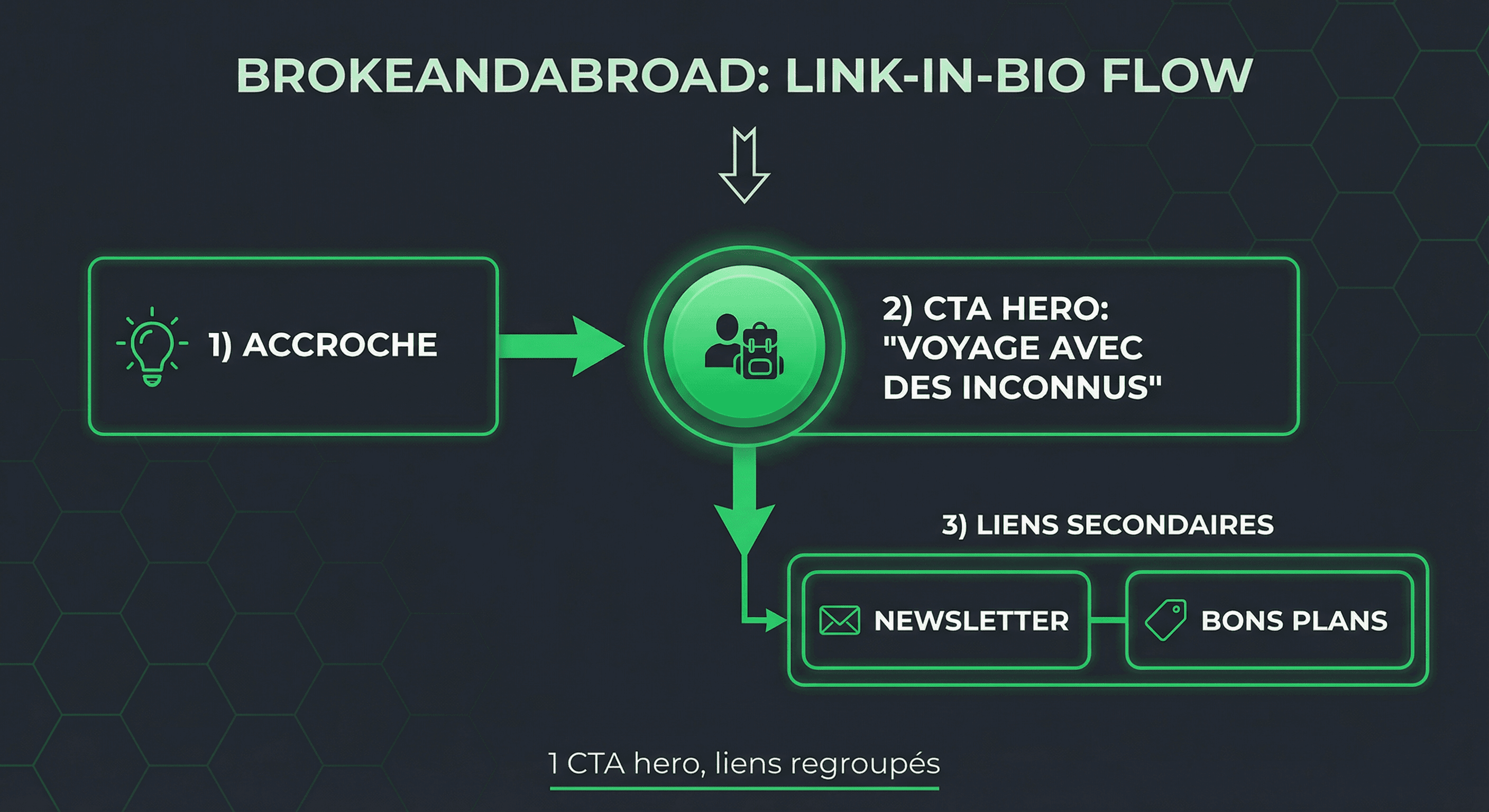
What you can do with your link in bio now: identify your “hero link” (one main action), group the rest into 2–3 sections with titles, and avoid more than 5–7 links with no hierarchy.
BastiUI: polished design and credibility (freelance UI / design)
BastiUI (karde.me/bastiui) illustrates a link page built for a design/UI freelancer: consistent look, clear sections, links to projects, tools and contact. In a few seconds the visitor understands who they are and what to do — which strengthens link in bio conversion for freelancers.
Link hierarchy: the page feels pro. You typically get an intro block or short hook, one main CTA (portfolio, booking calendar or contact), then secondary links (projects, tools, social). Social proof comes from the projects shown and visual consistency rather than written testimonials.
| Element | Role | CTR impact |
|---|---|---|
| Strong visual identity | Immediate credibility | High |
| Main CTA (portfolio / contact) | Direct conversion | High |
| Project / case study links | Social proof | Medium |
| Secondary social links | Discovery | Low if too many |
Main CTA: depending on the version, a “View my portfolio”, “Book a call” or “Contact me” link — always explicit. Secondary links: projects, tools used, social. For a link in bio Instagram or LinkedIn, this type of page acts as a showcase: it reassures before the click through to the site.
Source adaptation: without a dedicated tool, the same page shows everywhere. A freelancer driving traffic from LinkedIn (B2B) and Instagram (creative) could benefit from a different top CTA (e.g. “Book a call” vs “View my projects”). Analytics by source are often missing on basic free link-in-bio tools.
- Strengths: strong visual identity, social proof via projects, readable main CTA.
- Weaknesses: limited analytics on many tools — hard to know which link converts best per channel.
- Recommendation: keep this level of polish and add source tracking (views and clicks by origin) to make data-driven decisions.
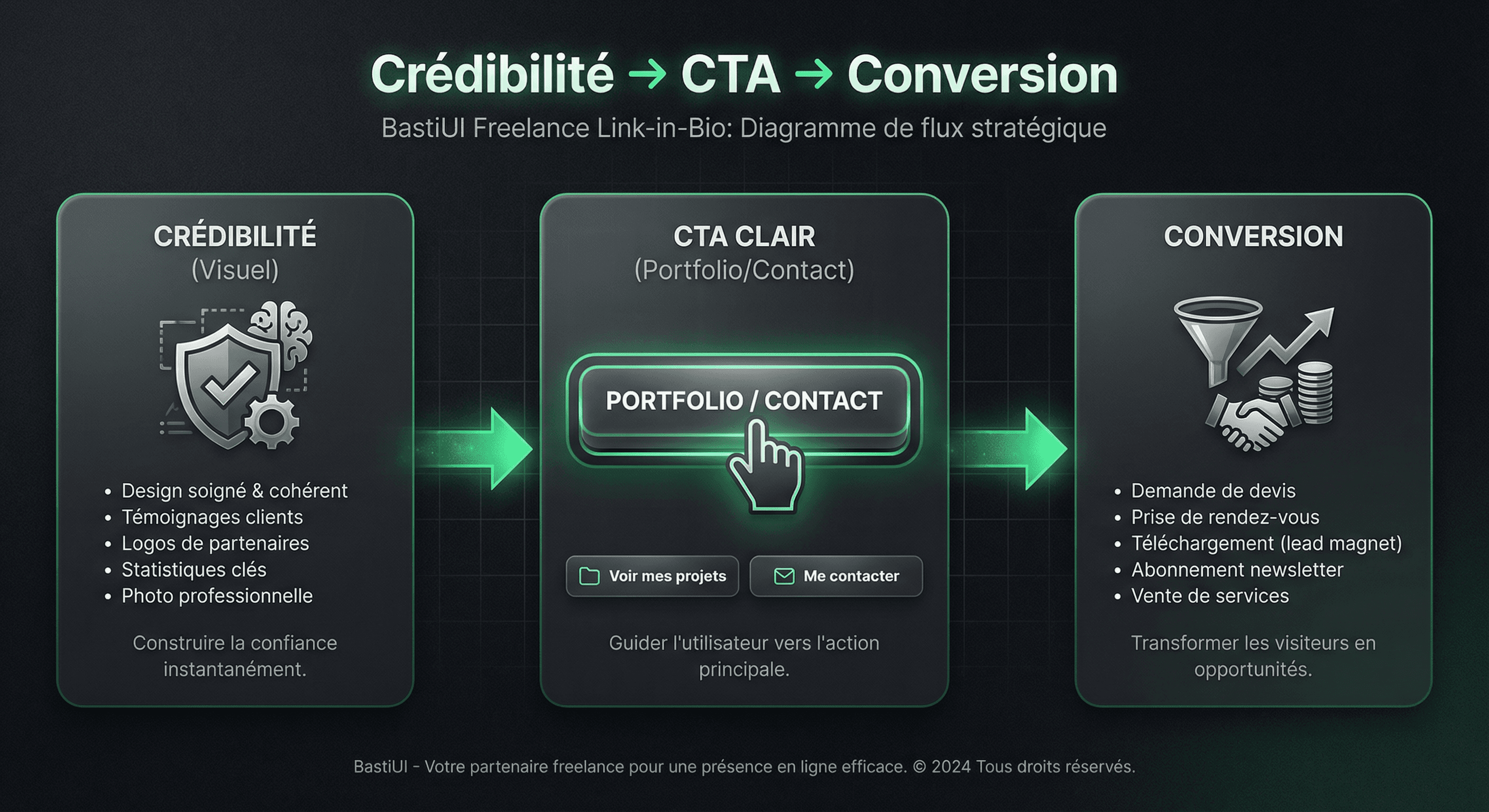
What you can do with your link in bio now: if you’re a freelancer, put one CTA at the top (portfolio or booking), add a short hook or number (e.g. “+50 projects delivered”), and limit links to 5–7 so you don’t dilute clicks.
Akim Omiri: multi-platform creator (comedy & show)
Akim Omiri uses his link in bio to push his show “Contexte” and tour dates, while keeping a link to the full “La Riposte” and his socials. A typical multi-platform creator case: YouTube, Instagram, TikTok, live show — the risk is putting everything at the same level and losing conversion.
Link hierarchy: at the top, two strong CTAs — “CONTEXT SHOW in PARIS” and “WATCH THE FULL LA RIPOSTE” — followed by a “All tour dates” section with many links by city. At the bottom: production contact, other show (Fragment(s)), social (Instagram, TikTok, Twitter, Snapchat, BlueSky), voicemail.
| Priority | Link / block | Goal |
|---|---|---|
| 1 | Contexte show Paris | Main ticketing |
| 2 | Full La Riposte (YouTube) | Viral content |
| 3 | Tour dates (list) | Geo conversion |
| 4 | Social + contact | Follow-up and pro |
Main CTA: show ticketing and full video. Secondary links (dates by city) are very numerous — 30+ links — which can dilute attention. For a link in bio YouTube, putting “Watch the full show” first makes sense; for Instagram or TikTok, the show or an upcoming date could be on top.
Social proof: the show title and dates across France (and internationally) serve as proof of activity. No testimonials or numbers on the page. Source adaptation: the page is single; a tool with source rules could show “Latest video” first for YouTube traffic and “Next date near you” for Instagram.
- Strengths: two clear CTAs at the top (show + full video), explicit labels.
- Observed issues: too many links at the same level (very long date list) — risk of lower CTR per link.
- What works: the order “show then content then dates” gives a clear direction.
- Recommendation: keep 1–2 hero CTAs, group dates in one “View all dates” link or adapt the first block by source (link in bio YouTube vs Instagram vs TikTok).
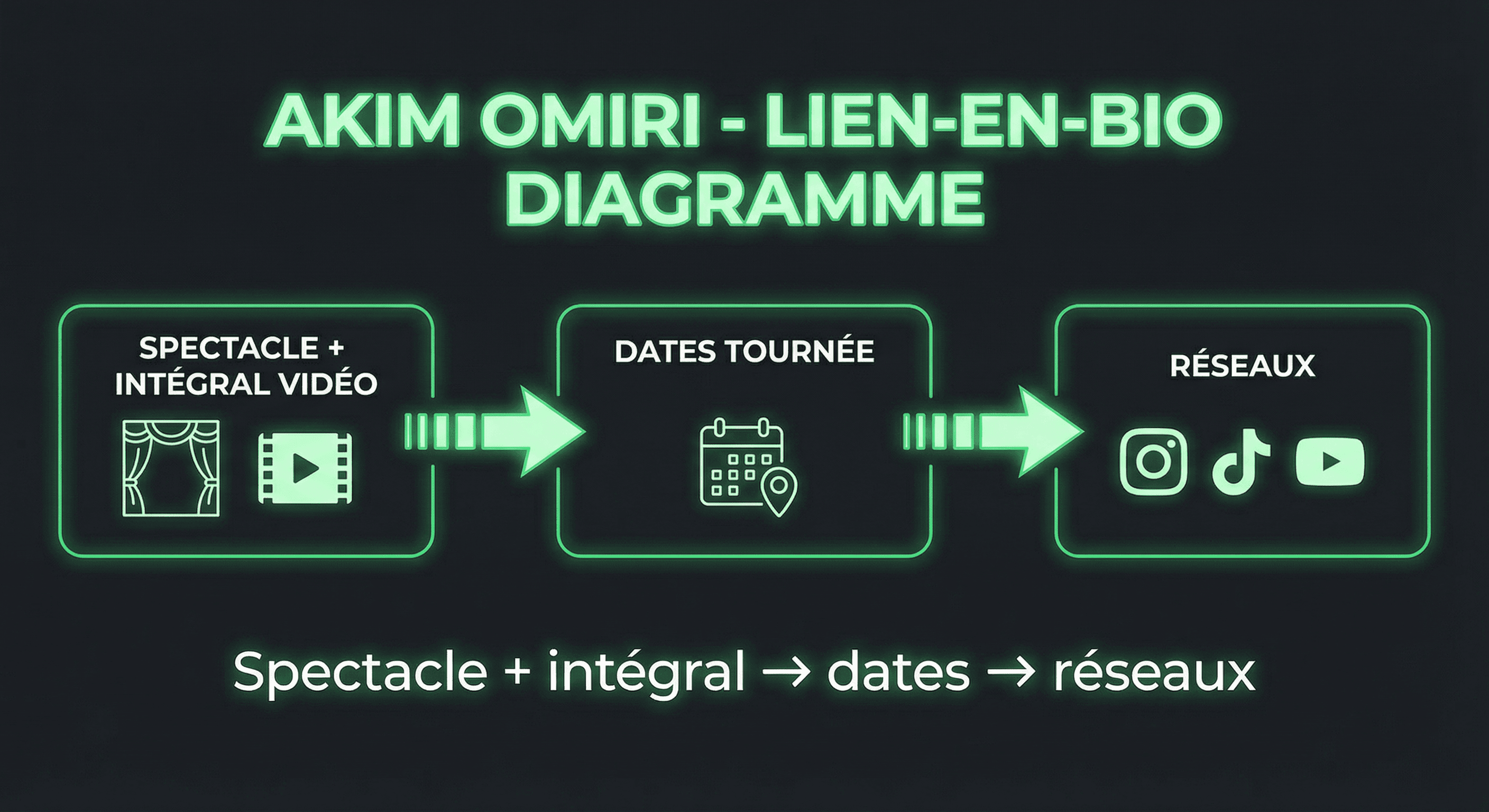
What you can do with your link in bio now: if you have several offers (video, show, newsletter), pick one #1 goal per channel and put it first; group secondary links (e.g. one “All dates” page) to keep a readable hierarchy.
Nionip: minimalism and single direction
Nionip (Ni Oubli Ni Pardon) shows a link page organised by goals: support the project, discover the books, join the archives and community. The hook (“Covid archives — So that sanitary madness is never forgotten”) sets the tone; sections avoid flattening everything.
Link hierarchy: “Support the project” first (Tipeee, Bitcoin), then “Memory duty books” (ContrePropagande, Amazon), then “Archives & community” (Telegram, Facebook, YouTube, X, Pinterest, CrowdBunker, Odysee, Rumble), then “Le Mouton Enragé” and contact. One main action per block — suited to link in bio when you want to push one clear goal (support, book, community).
| Section | Main CTA | Role |
|---|---|---|
| Support the project | Tipeee, Bitcoin | Monetisation / donation |
| Books | ContrePropagande, Amazon | Sales / awareness |
| Archives & community | Telegram, YouTube, social | Engagement and discovery |
Main CTA: depending on intent, “Support” or “Discover the books”. Labels are explicit (“To support our work & independence”, “Discover the books”). Social proof: project positioning and links to books and community. Source adaptation: single page; a link in bio Instagram could put “Support” first, a link in bio YouTube “Channel / archives”.
- Strengths: clear sections, strong hook, CTA per block (support, books, community).
- Weaknesses: many links in “Archives & community” — possible CTR dilution on main links.
- Recommendation: keep the “one action = one section” approach; if you have several channels (Instagram, YouTube, newsletter), use source rules to adapt the first block (free link in bio with Korli lets you do this without multiple URLs).
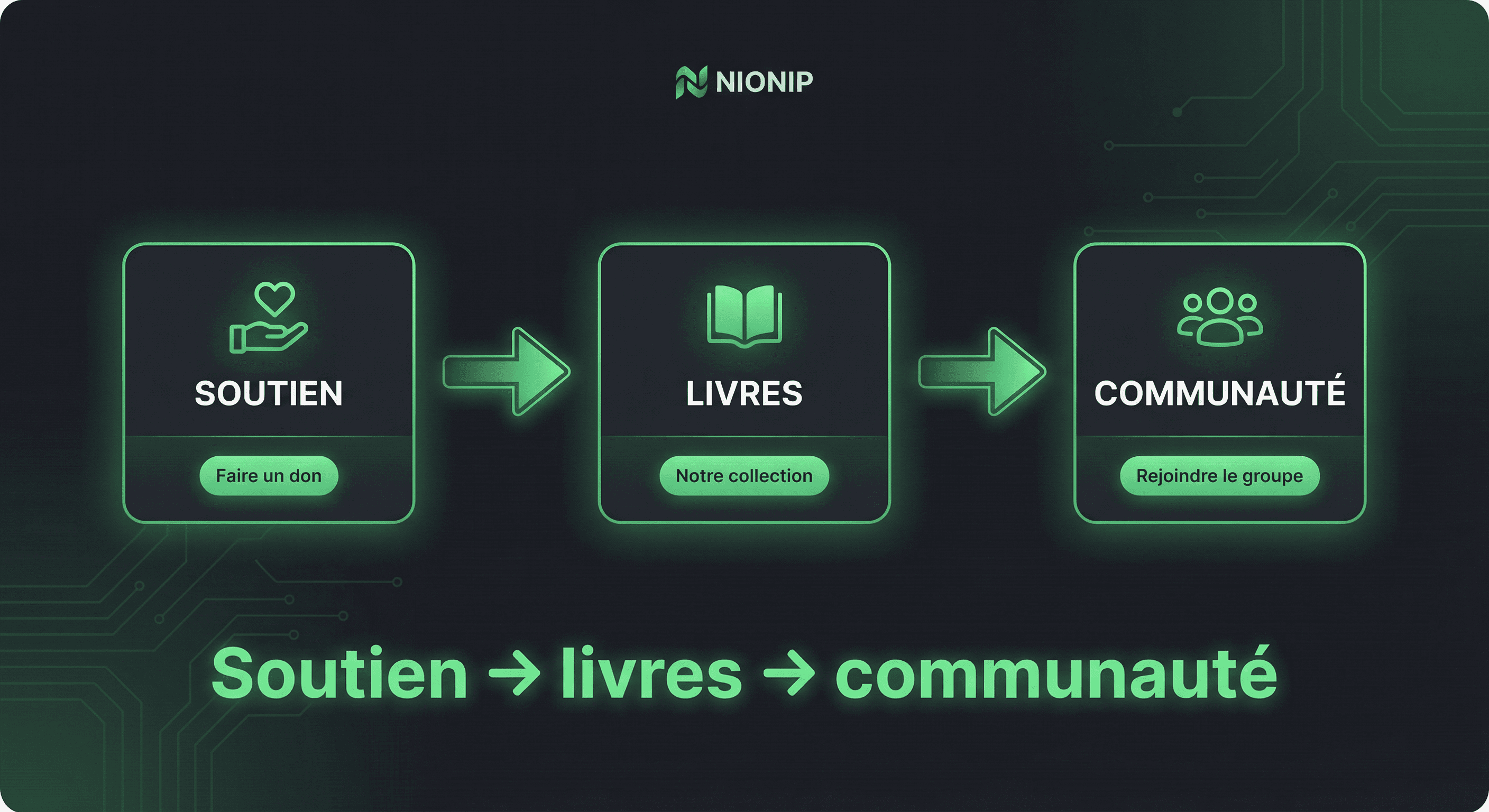
What you can do with your link in bio now: if you want to push one action (support, book, event), build a minimal page with a short message and one CTA at the top; for several goals, use titled sections and avoid more than 5–7 visible links without grouping.
Sirklo: brand and ecosystem (artist / EP)
Sirklo uses his link in bio for his first solo EP “Évidemment”: a short hook, then streaming links (Spotify, Apple Music, Deezer, Amazon Music), then TikTok, Instagram, YouTube. The page sticks to the point — one main goal (listen to the EP), which is ideal for link in bio conversion.
Link hierarchy: one implicit hero block (the hook introduces the EP), then 4 streaming links at the same level, then 3 social links. No titled sections, but the order is clear: listen first, social next. For an artist, putting streaming first maximises listens; social is for follow-up.
| Step | Content | Conversion |
|---|---|---|
| 1 | EP hook “Évidemment” | Context |
| 2 | Spotify, Apple, Deezer, Amazon | Main CTA (listen) |
| 3 | TikTok, Instagram, YouTube | Secondary links (follow) |
Main CTA: listen to the EP on the visitor’s preferred platform. The four streaming links are equivalent (no hierarchy between them), which makes sense for an artist. Secondary: social. Social proof: EP intro text; no numbers or testimonials. Source adaptation: single page; a TikTok vs Instagram visitor sees the same thing — you could show “Listen on Spotify” first for some channels and “Follow on TikTok” for others if goals differ.
- Strengths: single goal (EP listen), clear order (streaming then social), no clutter.
- Weaknesses: 4 streaming links at the same level can fragment clicks — depending on analytics, one “Choose my platform” link to a choice page could simplify.
- Recommendation: for a release or launch, this “one action = one page” structure works well; later, adding a “link of the moment” (e.g. latest clip) at the top by source can boost CTR.
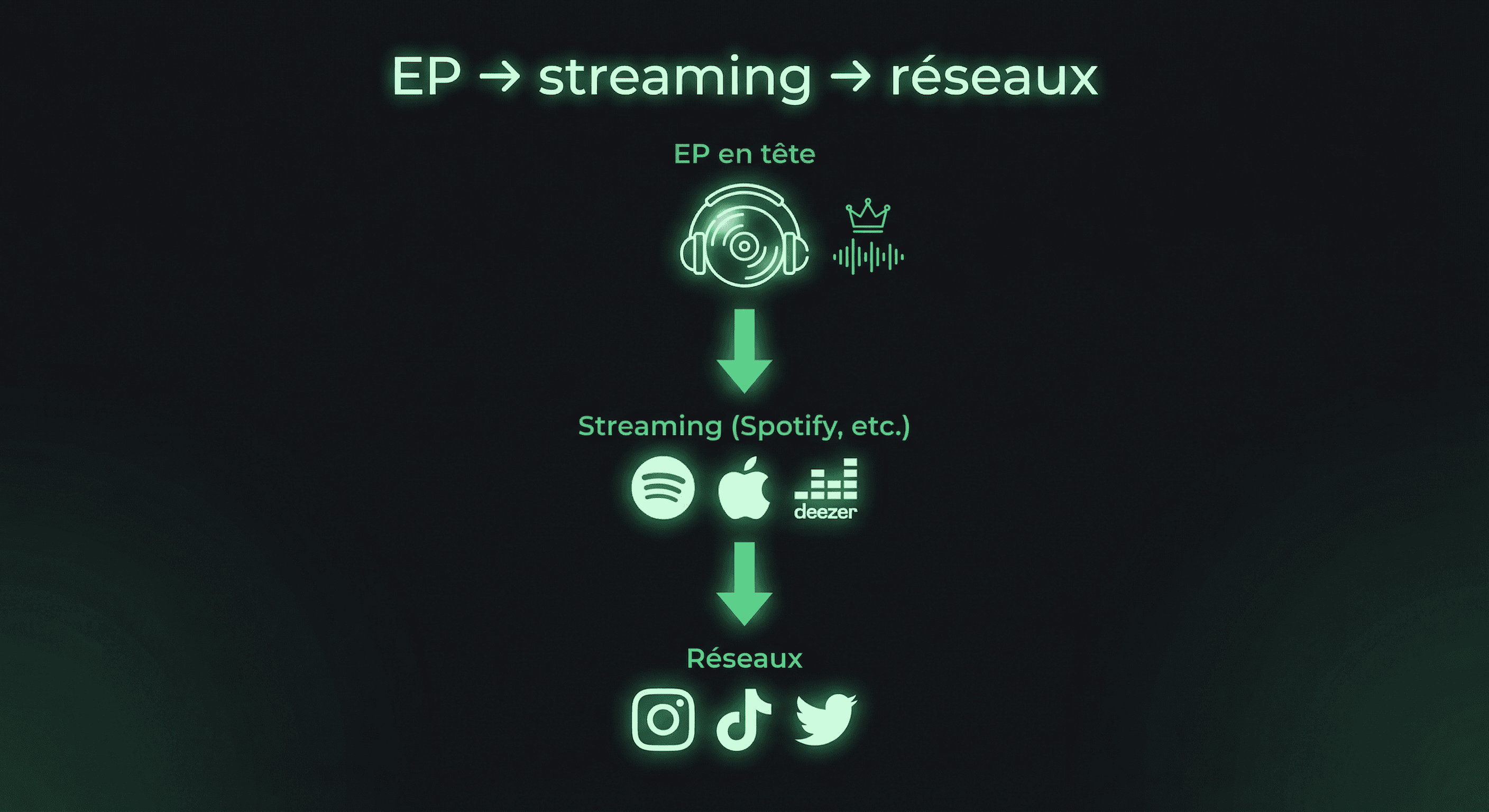
What you can do with your link in bio now: for a launch (EP, product, event), put one message and one main CTA (listen, buy, sign up) at the top; keep social as support. If you have several platforms (Spotify, Apple…), either show them all or use an intermediate “Choose where to listen” link to measure preference.
Golden rules for a link in bio that converts
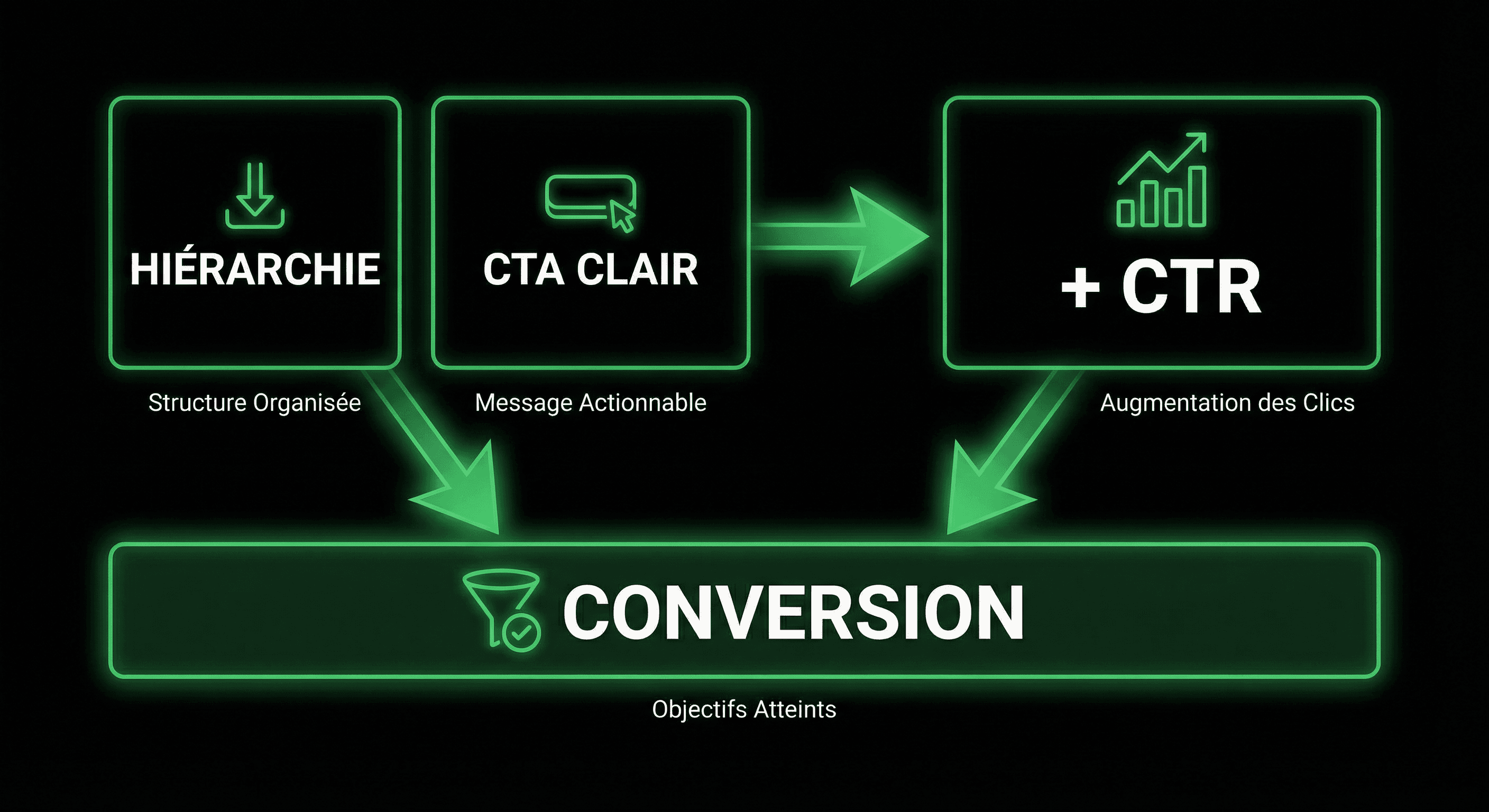
In short, five principles show up in profiles that perform: clear hierarchy, obvious main CTA, social proof or reassuring hook, source adaptation when possible, and measurement (analytics) to iterate. Whether you use a link in bio Instagram, YouTube or TikTok, these rules apply.
- Hierarchy: one “hero” (link or block) at the top, the rest in support. Avoid a row of 10 same-size buttons.
- Clear CTA: explicit wording (“Join the newsletter”, “Watch latest video”, “Book a call”) rather than a raw link with no context.
- Social proof: testimonial, number, or link to content that proves your credibility — especially for freelancers.
- Source adaptation: ideally your link in bio Instagram can highlight a different link than your link in bio YouTube (e.g. product vs video).
- Measure: use analytics to see which links and sources convert, and adjust order or copy accordingly.
These rules apply whether you use a free or paid link in bio. The difference between tools is mainly in source personalisation and depth of analytics — we cover that in the comparison below.
Comparison: Linktree, Canva, Korli — what works for conversion
Looking for a Linktree alternative or a free link in bio that actually helps you convert? Here’s an honest summary of three widely used options.
Linktree: simple but not very differentiating
Linktree remains the go-to link in bio: quick setup, themes, buttons, basic integrations. For occasional use (a few links, one audience), it’s enough. On the other hand, source personalisation and detailed analytics are limited — you rarely see “this link was clicked by people from Instagram vs YouTube”.
Canva: great visuals, not built for measurement
Canva lets you create very polished link pages. If you already know the tool, you get a pro result fast. The downside: it’s not a funnel or analytics tool. You can’t easily adapt content by source or track clicks per block in detail. Good for look, less for optimising link in bio conversion.
Korli: link in bio that adapts and measures
Korli is built so your page adapts without you rebuilding it each time: conditional rules (Smart Rules), different emphasis by source (Instagram, YouTube, TikTok, etc.), and analytics for views, clicks and origin. You keep one URL in bio, but the visitor sees an adapted version. A solid option if you want a link in bio that really converts, with a free link in bio to start.
In short: Linktree for simplicity, Canva for design, Korli for conversion and adaptation. The choice depends on your goal (basic presence vs growth and sales).
Common link in bio mistakes (and how to avoid them)
- Putting everything at the same level: 8–10 links with no order or titles. Fix: 1 main CTA, 3–5 secondary links max, the rest in “useful links” or at the bottom.
- Vague link text (“Click here”, “Link”): the visitor doesn’t know where they’re going. Fix: explicit labels (“Watch latest video”, “Subscribe to the newsletter”).
- No hook or social proof: the page doesn’t reassure. Fix: a short intro line + a number or testimonial if you’re a freelancer.
- The same page for everyone: Instagram and YouTube traffic mixed with no adaptation. Fix: use source rules (or at least a frequently updated “link of the moment”).
- Never checking stats: you change by gut feel. Fix: check analytics at least once a week and move or rewrite what doesn’t get clicks.
Fixing these mistakes doesn’t always mean changing tools: often, reorganising blocks, renaming links and adding a hook is enough to improve click-through in a few days.
Best practices: checklist before publishing
Before sharing your link in bio on Instagram, YouTube, TikTok or elsewhere, check these points:
- The first thing visible is your main CTA (one link or hero block).
- Every link has a clear, actionable label (verb + object).
- You have at least one hook or social proof at the top.
- You’ve tested the page on mobile (most link in bio Instagram and TikTok traffic is mobile).
- You know where to find analytics (clicks, sources) to adjust the page in the coming days.
Conclusion: switch to a link in bio that works for you
A link in bio for creators and freelancers isn’t just a list of links. It’s a conversion lever: it should guide, reassure and adapt. By applying the golden rules (hierarchy, clear CTA, social proof, source adaptation, measurement), taking inspiration from the five profiles in this benchmark and avoiding common mistakes, you can turn your page into a real acquisition channel.
If you want a Linktree alternative focused on adaptation and conversion, with a free link in bio to start, Korli is built for that: one page, smart rules, clear analytics. You can try with no commitment and see what converts best in a few days. This benchmark gave you concrete examples and actionable levers — it’s up to you to apply them and make your link page a real conversion channel.